UI Pages Documentation
This reference tours the main screens of EduNest LMS by route. The screenshots below are captured from a live install with demo data. Pages are Next.js 16 App Router route segments under src/app/. There are four broad areas, each with its own URL prefix and layout:
| Area | URL prefix | Location |
|---|---|---|
| Storefront (public) | /, /courses, /checkout, … |
src/app/(site)/ |
| Course player | /learn/:slug |
src/app/learn/ |
| Learner portal | /learner/* |
src/app/learner/ |
| Instructor area | /instructor/* |
src/app/instructor/ |
| Admin panel | /admin/* |
src/app/admin/(panel)/ |
Storefront pages (src/app/(site))
The public, marketing + catalog experience. No sign-in required for browsing.
| Page | Route | What it does |
|---|---|---|
| Home | / |
Landing page — hero, featured courses, categories, testimonials |
| Explore | /explore |
Discovery / browse entry point |
| Courses | /courses |
Catalog grid with filters/facets |
| Course detail | /courses/[slug] |
Single course — outcomes, curriculum, instructor, reviews, enroll/buy |
| Bundles | /bundles |
Course bundle offerings |
| Instructors | /instructors |
Instructor directory |
| Membership | /membership |
Subscription / membership plans |
| Cart | /cart |
Shopping cart |
| Checkout | /checkout |
Place an order (loads the signed-in learner via /api/v1/portal/me) |
| Blogs | /blogs |
Blog index |
| Gallery | /gallery |
Media gallery |
| About / Contact / FAQ / Enquiry | /about, /contact, /faq, /enquiry |
CMS + lead-capture pages |
| Legal | /privacy-policy, /terms-and-conditions, /cookie-policy |
Policy pages |
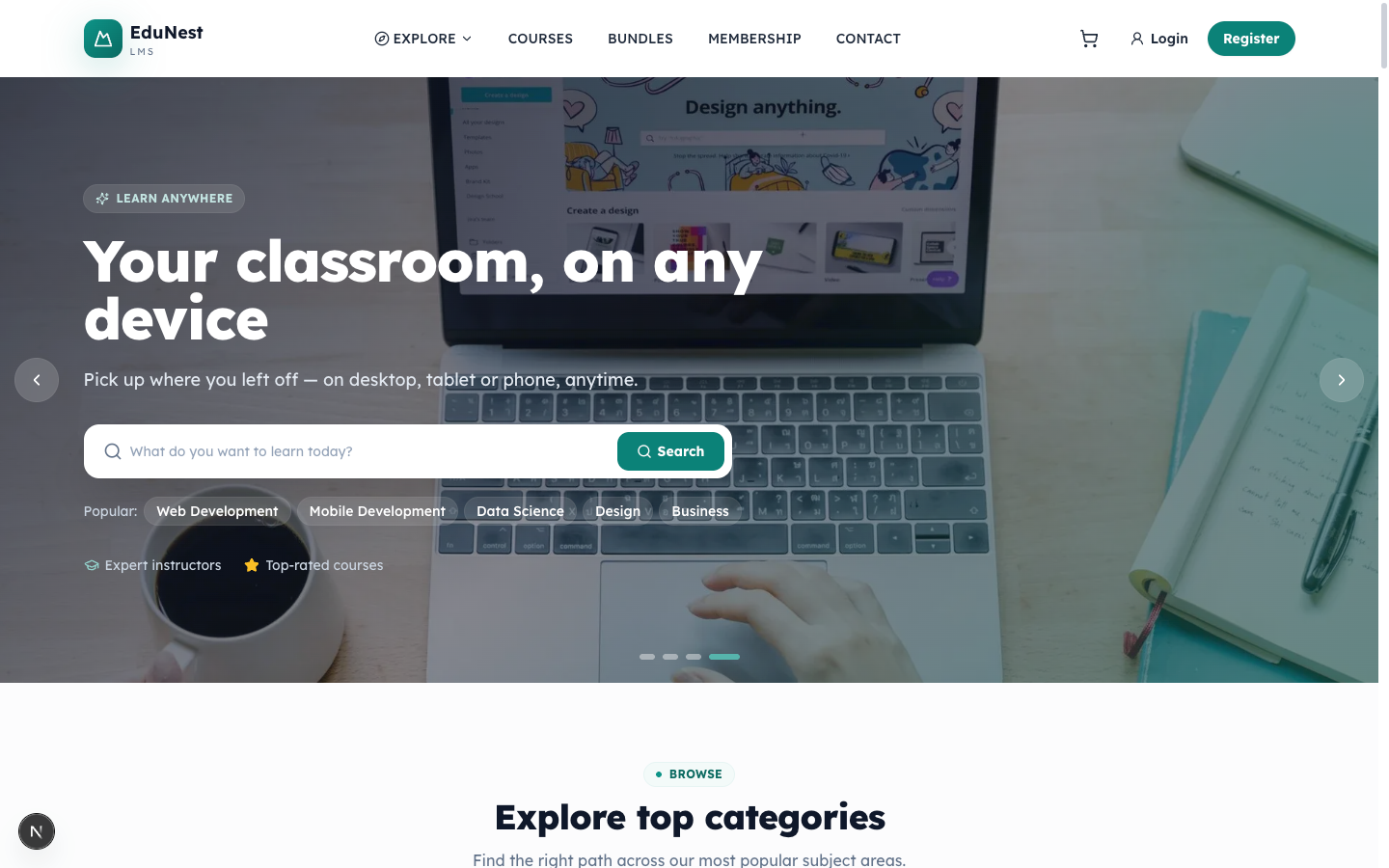
Home — /
The storefront landing page (src/app/(site)/page.tsx). Composes hero, featured courses, categories, testimonials and CTAs. Public.
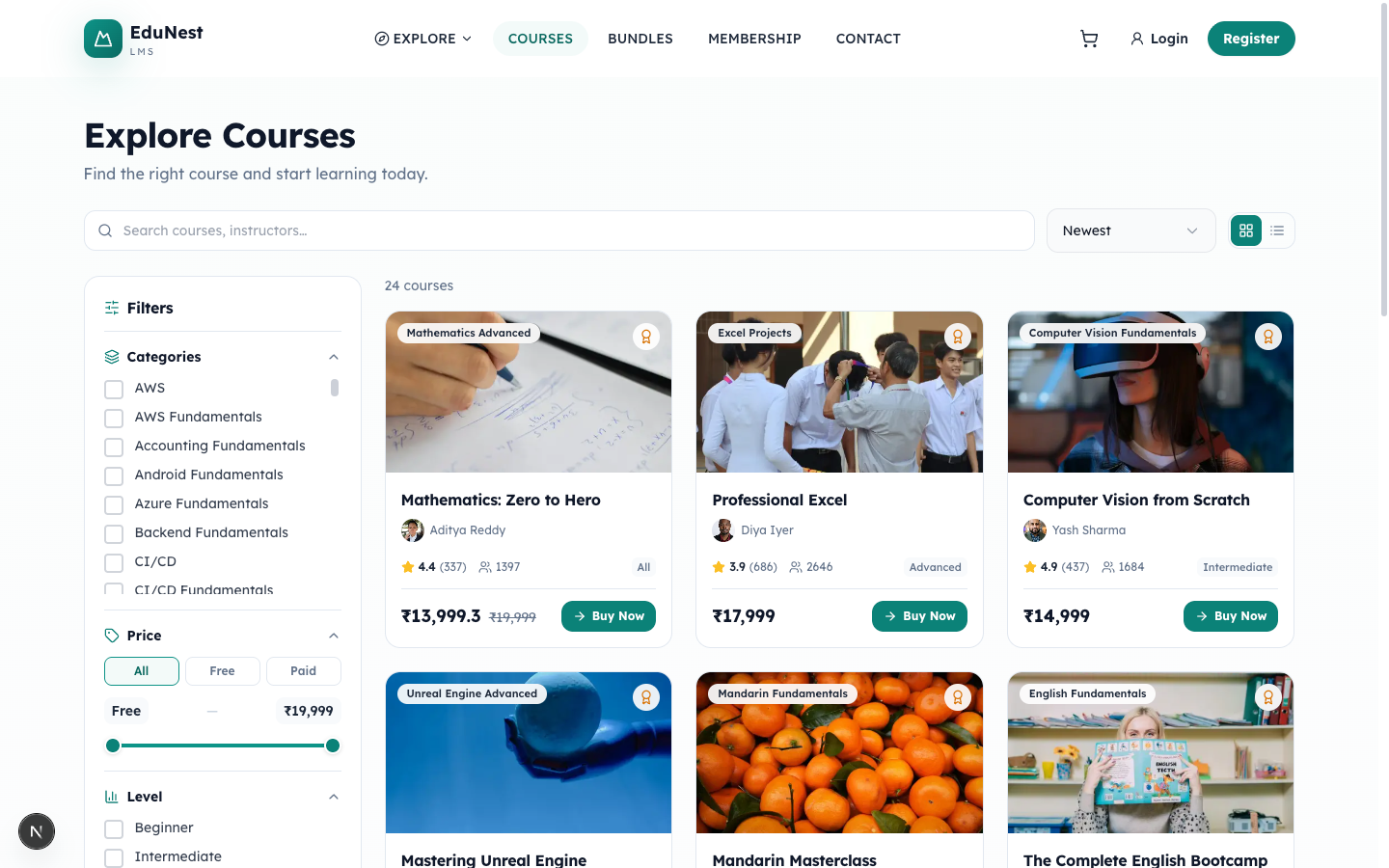
Courses — /courses
The catalog grid (src/app/(site)/courses/page.tsx) with search, category and price filters.
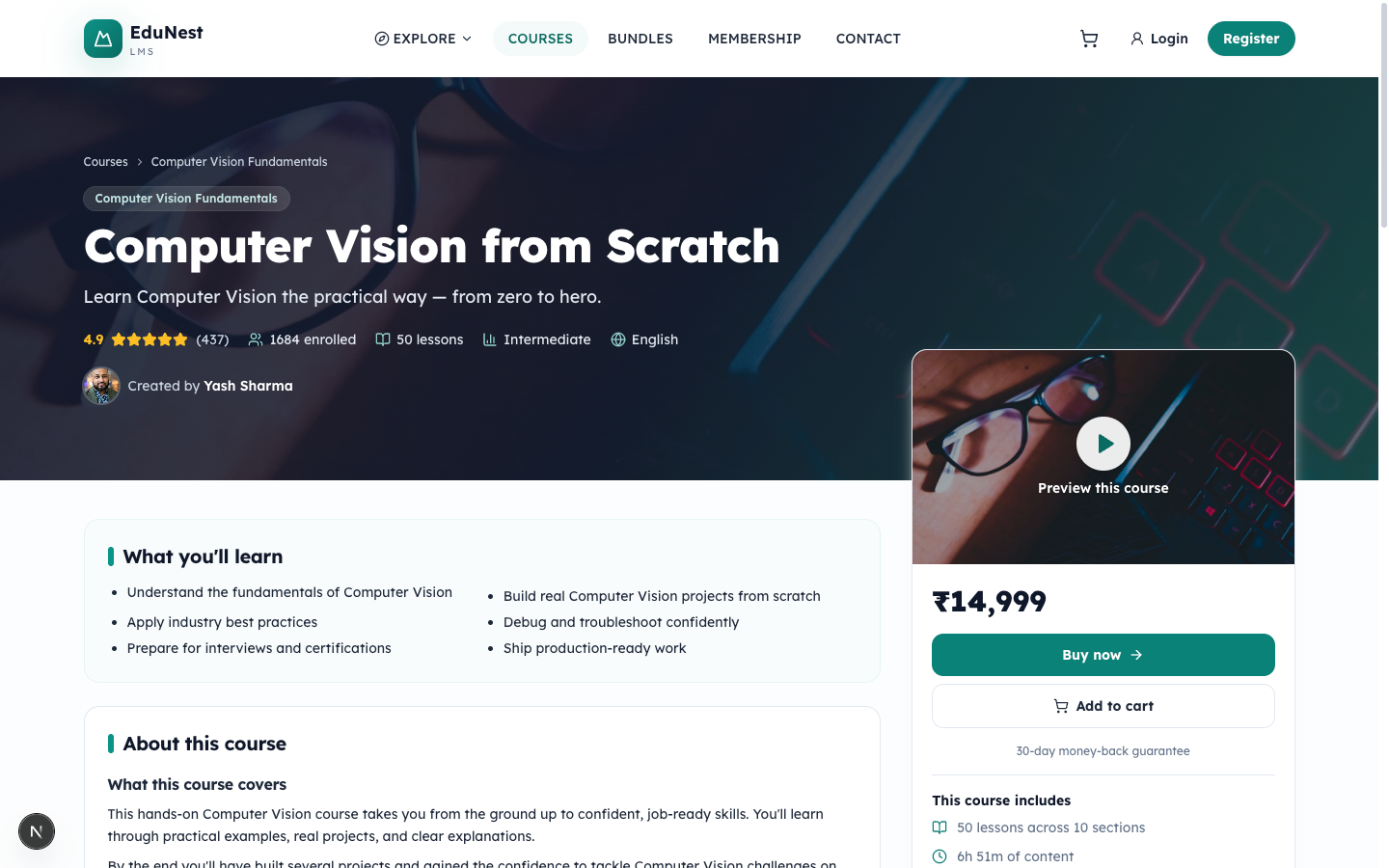
Course detail — /courses/[slug]
The conversion page for a single course (src/app/(site)/courses/[slug]/page.tsx). Renders the title, "What you'll learn", curriculum, instructor, and reviews, with an enroll/buy action. Data comes from GET /api/v1/courses/:slug (and /reviews).
Checkout — /checkout
Collects shipping/contact details and places the order. Pre-fills from the signed-in learner via GET /api/v1/portal/me and submits to POST /api/v1/checkout (coupons via /api/v1/checkout/coupon, payment methods via /api/v1/checkout/methods).
Course player — /learn/[slug]
The lesson player (src/app/learn/[slug]/page.tsx) where an enrolled learner consumes a course: a sidebar of sections/lessons and a content pane (video, embedded file via iframe, text). It loads the course payload from GET /api/v1/learn/:slug and marks lessons complete with POST /api/v1/learn/:slug/lessons/:lessonId/complete. Supporting routes cover notes, discussion, activity tracking, and reporting.
Learner portal (src/app/learner)
The signed-in student area. Requires a member_session cookie.
| Page | Route | What it does |
|---|---|---|
| Dashboard | /learner/dashboard |
"Your learning at a glance" — summary cards + recent activity |
| My Courses | /learner/my-courses |
Enrolled courses with continue-where-you-left-off |
| My Bundles | /learner/my-bundles |
Owned course bundles |
| Progress | /learner/progress |
Per-course progress tracking |
| Grades | /learner/grades |
Quiz / assignment grades |
| Analytics | /learner/analytics |
Personal learning analytics |
| Calendar | /learner/calendar |
Schedule / events |
| Messages | /learner/messages |
Chat with the instructor/mentor |
| My Mentor | /learner/my-mentor |
Assigned mentor view |
| Orders | /learner/orders, /learner/orders/[id] |
Purchase history + order detail |
| Subscriptions | /learner/subscriptions |
Active membership/subscriptions |
| Wishlist | /learner/wishlist |
Saved courses |
| Addresses | /learner/addresses |
Saved addresses |
| Notifications | /learner/notifications |
Notification inbox |
| Account | /learner/account (+ /edit, /password, /notifications, /cancel) |
Profile & account settings |
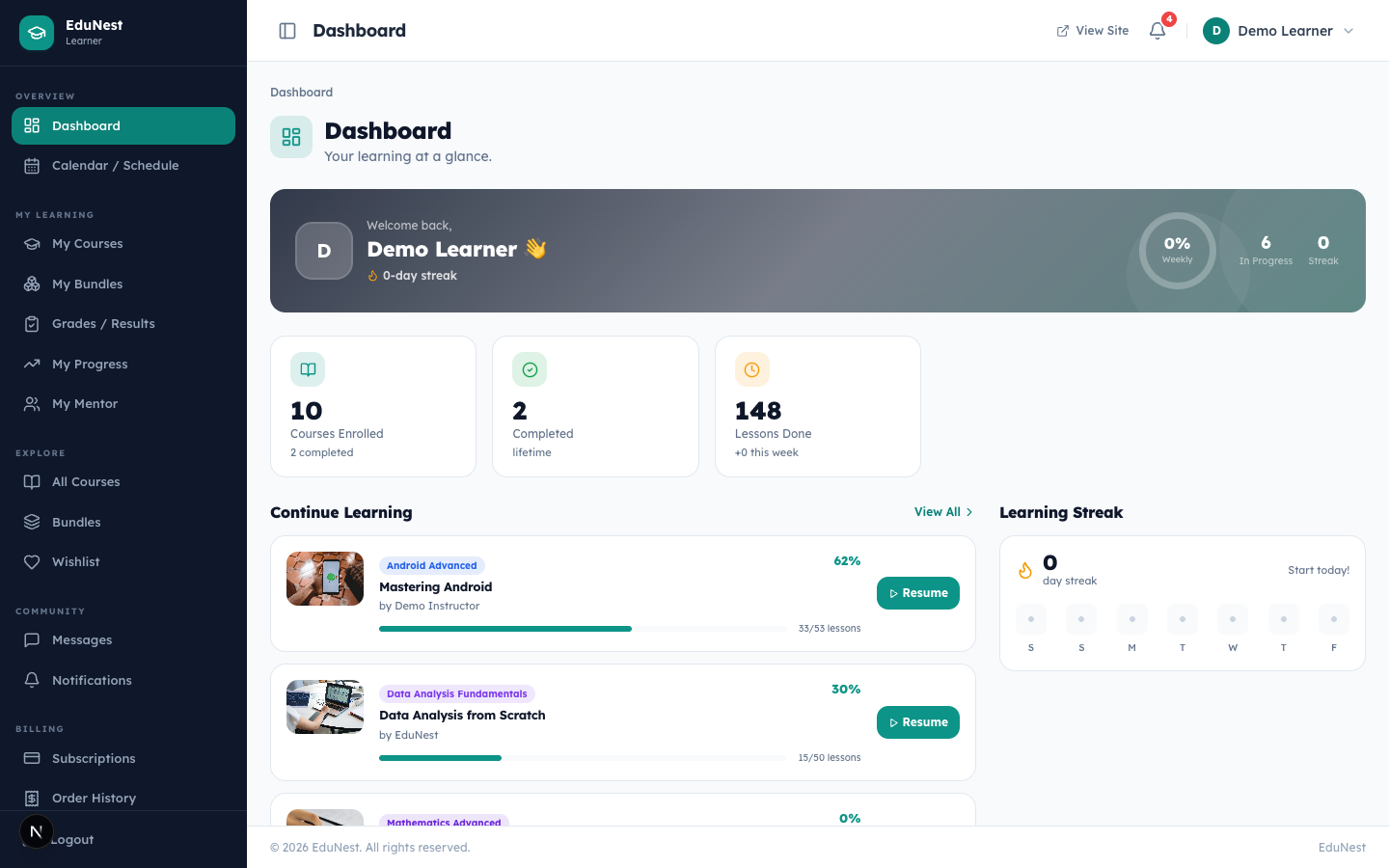
Dashboard — /learner/dashboard
The learner landing screen (src/app/learner/dashboard/page.tsx), titled "Dashboard — Your learning at a glance." Summarizes enrollments, progress, and recent activity. Backed by GET /api/v1/portal/dashboard.
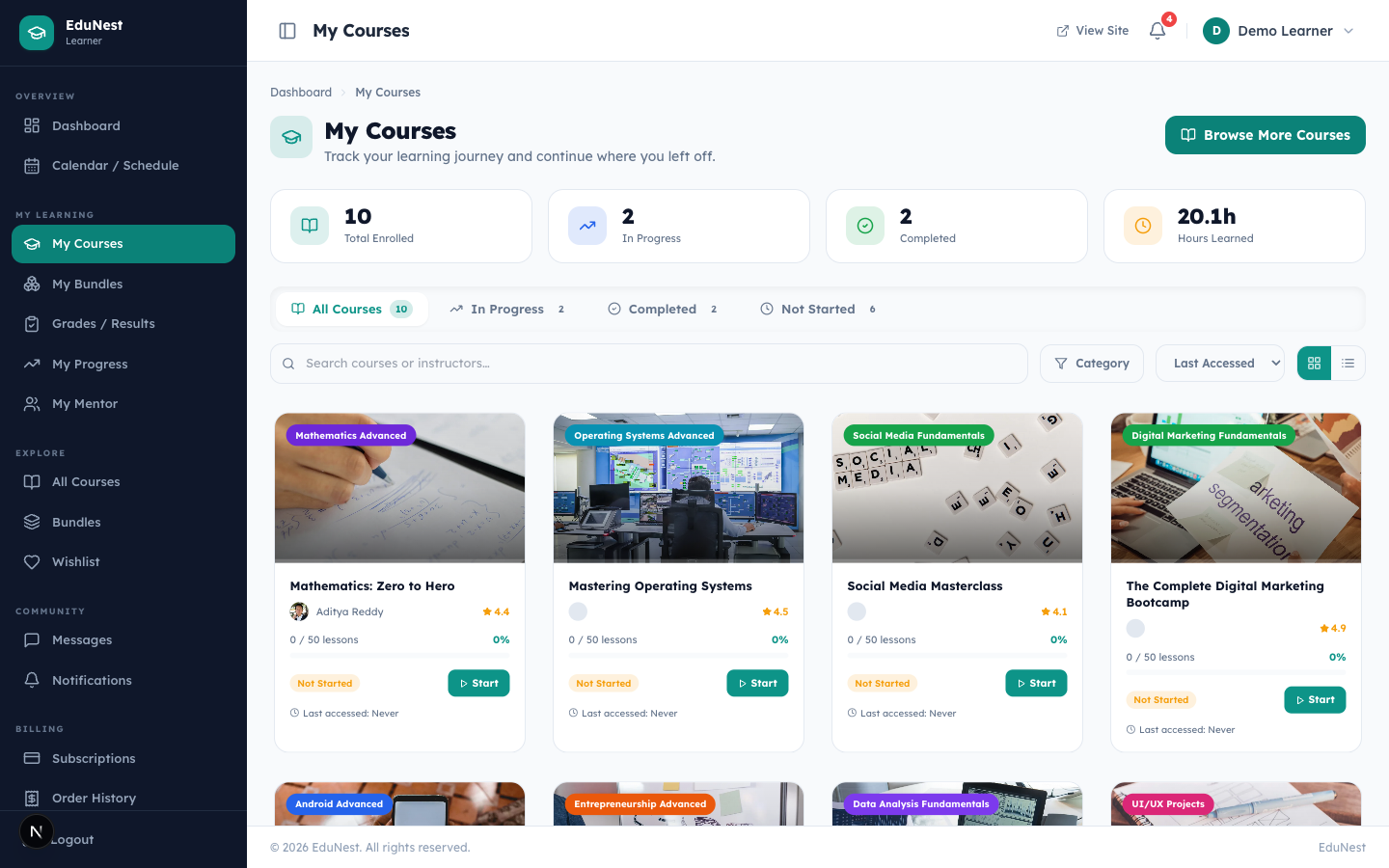
My Courses — /learner/my-courses
Lists the learner's enrolled courses ("Track your learning journey and continue where you left off") from GET /api/v1/portal/enrollments, each linking into the /learn/:slug player.
Progress — /learner/progress
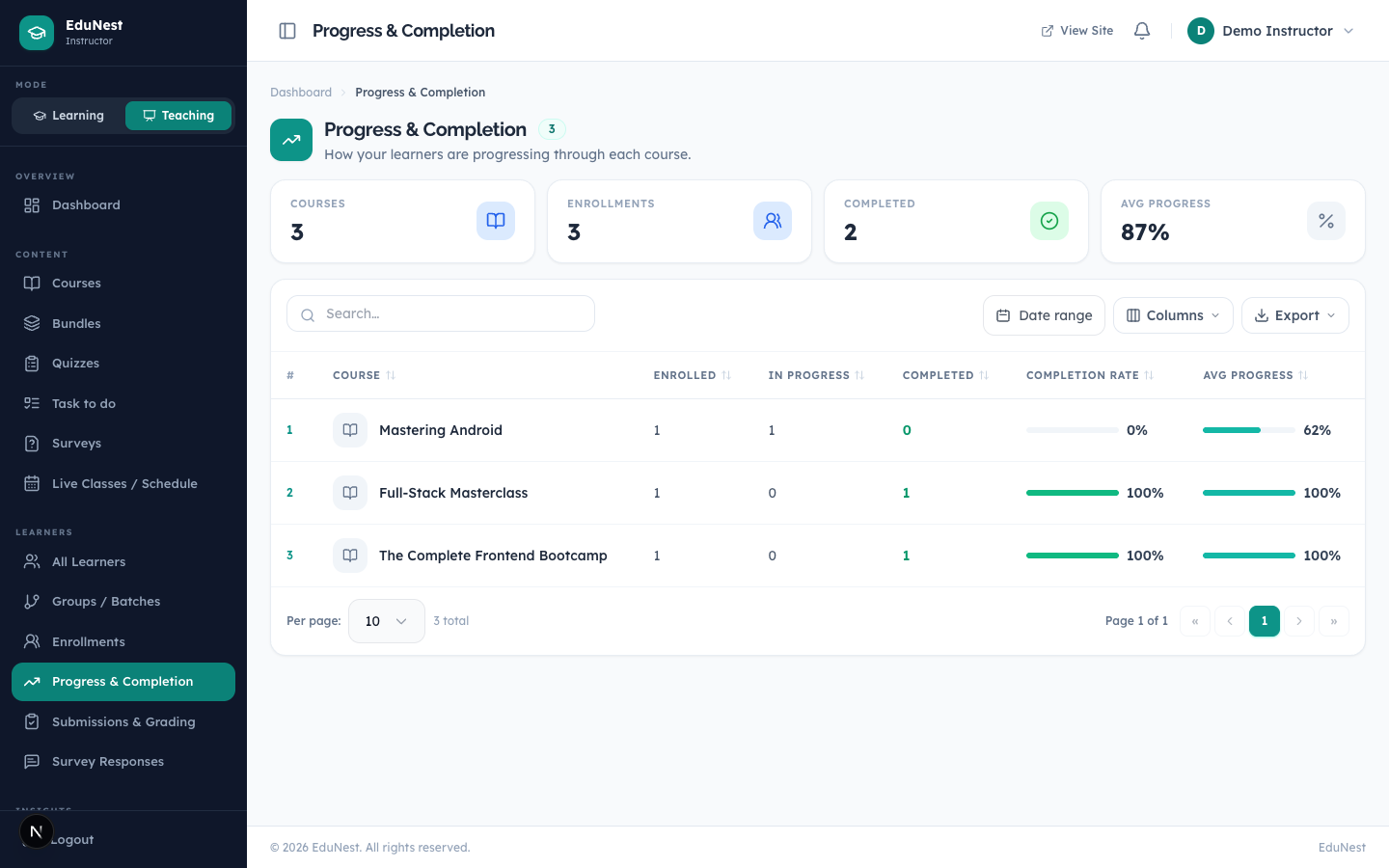
"Track how far you've come across every enrolled course" — a per-course progress breakdown with filtering and an empty state prompting enrollment.
Instructor area (src/app/instructor)
The teaching workspace for instructors.
| Page | Route | What it does |
|---|---|---|
| Dashboard | /instructor/dashboard |
"Your teaching at a glance" — courses + KPIs |
| Courses | /instructor/courses |
Manage authored courses |
| Bundles | /instructor/bundles |
Manage bundles |
| Quizzes / Surveys | /instructor/quizzes, /instructor/surveys |
Assessments + survey responses |
| Submissions | /instructor/submissions |
Student submissions to review |
| Students | /instructor/students |
Enrolled students |
| Enrollments | /instructor/enrollments |
Enrollment management |
| Progress | /instructor/progress |
Cohort progress |
| Reviews | /instructor/reviews |
Course reviews |
| Earnings / Payouts / Statements | /instructor/earnings, /instructor/payouts, /instructor/statements |
Revenue & payouts |
| Analytics | /instructor/analytics |
Teaching analytics |
| Messages | /instructor/messages |
Chat with students |
| Calendar / Tasks | /instructor/calendar, /instructor/tasks |
Scheduling & to-dos |
| Groups / Organization | /instructor/groups, /instructor/organization |
Cohorts & org settings |
| Settings | /instructor/settings |
Instructor profile & preferences |
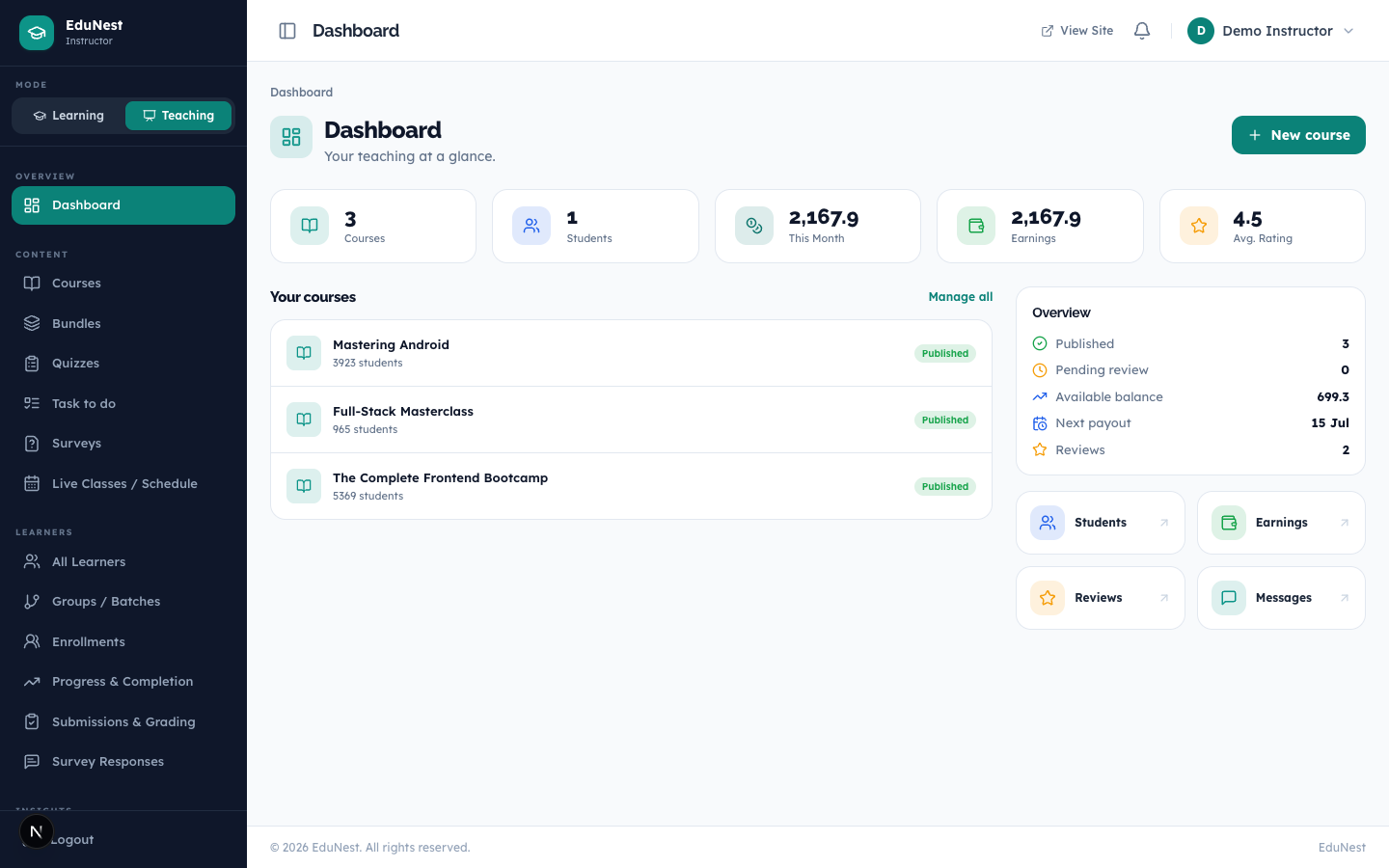
Dashboard — /instructor/dashboard
The instructor landing screen (src/app/instructor/dashboard/page.tsx), titled "Dashboard — Your teaching at a glance," surfacing the instructor's courses and headline metrics.
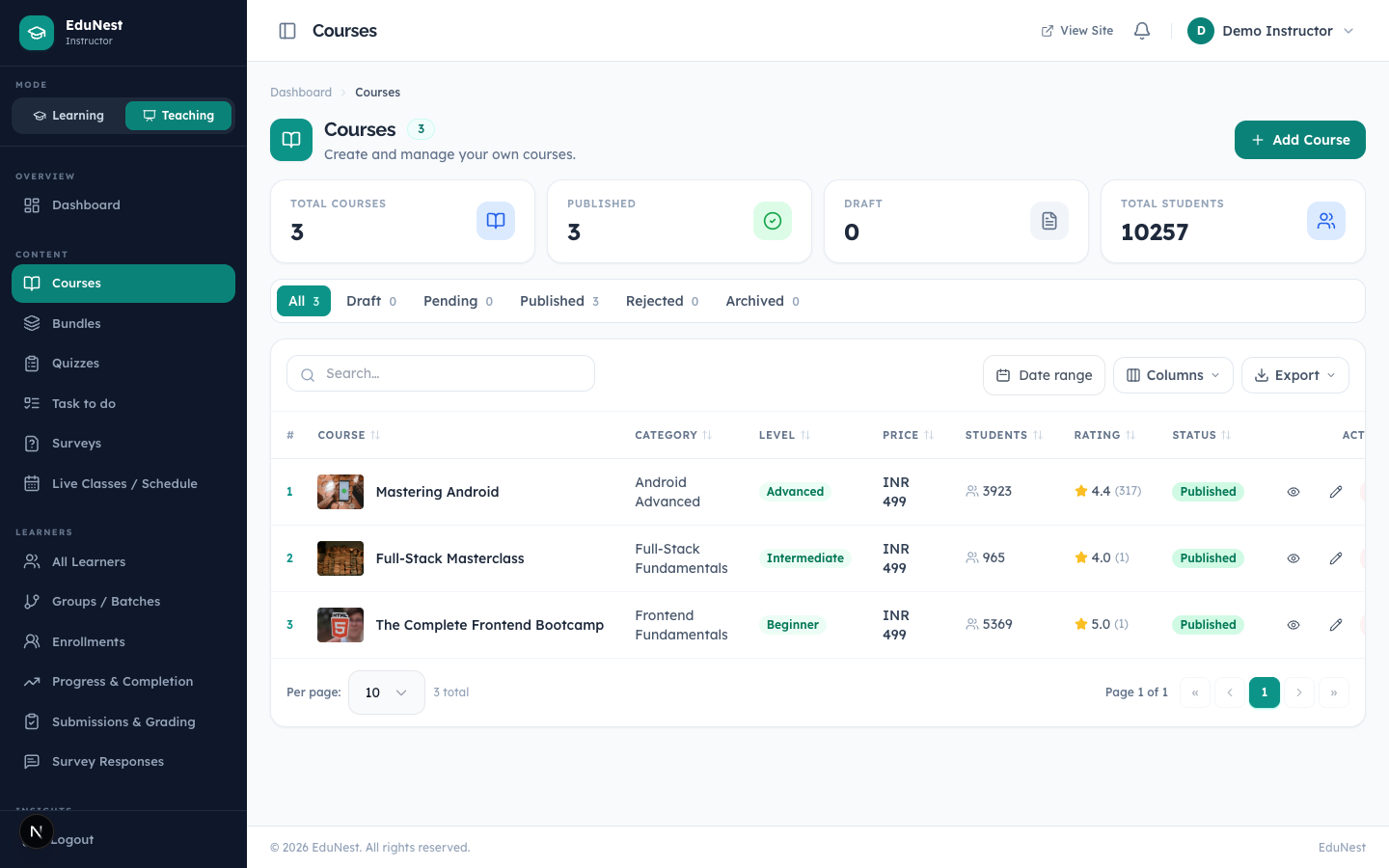
Courses — /instructor/courses
The instructor's authored-course manager (src/app/instructor/courses/page.tsx).
Admin panel (src/app/admin/(panel))
The administration console. Requires an admin_token session; write actions are RBAC-gated per route. Pages typically open with <PageHeader> and use the admin UI kit.
| Page | Route | What it does |
|---|---|---|
| Dashboard | /admin/dashboard |
KPIs + "Revenue over time" chart |
| Courses | /admin/learning/courses (+ /[id], /pending) |
Manage / review the course catalog |
| Categories | /admin/learning/categories |
Course categories |
| Bundles | /admin/learning/bundles |
Course bundles |
| Instructors | /admin/learning/instructors |
Manage instructors |
| Learners | /admin/learning/learners |
Manage learners |
| Orders | /admin/orders |
"Manage all student purchases and payment transactions" |
| Customers | /admin/customers |
Customer records |
| Revenue | /admin/revenue |
Revenue reporting |
| Subscription / Plan changes | /admin/subscription, /admin/plan-changes |
Membership management |
| Quizzes / Surveys | /admin/quizzes, /admin/surveys |
Assessments |
| Content | /admin/pages, /admin/blogs, /admin/faqs, /admin/gallery, /admin/hero-slider, /admin/testimonials |
CMS content |
| Media | /admin/media |
Media library |
| Settings | /admin/settings/* |
Store settings (see below) |
| Theme Options | /admin/settings/theme |
Branding / Appearance |
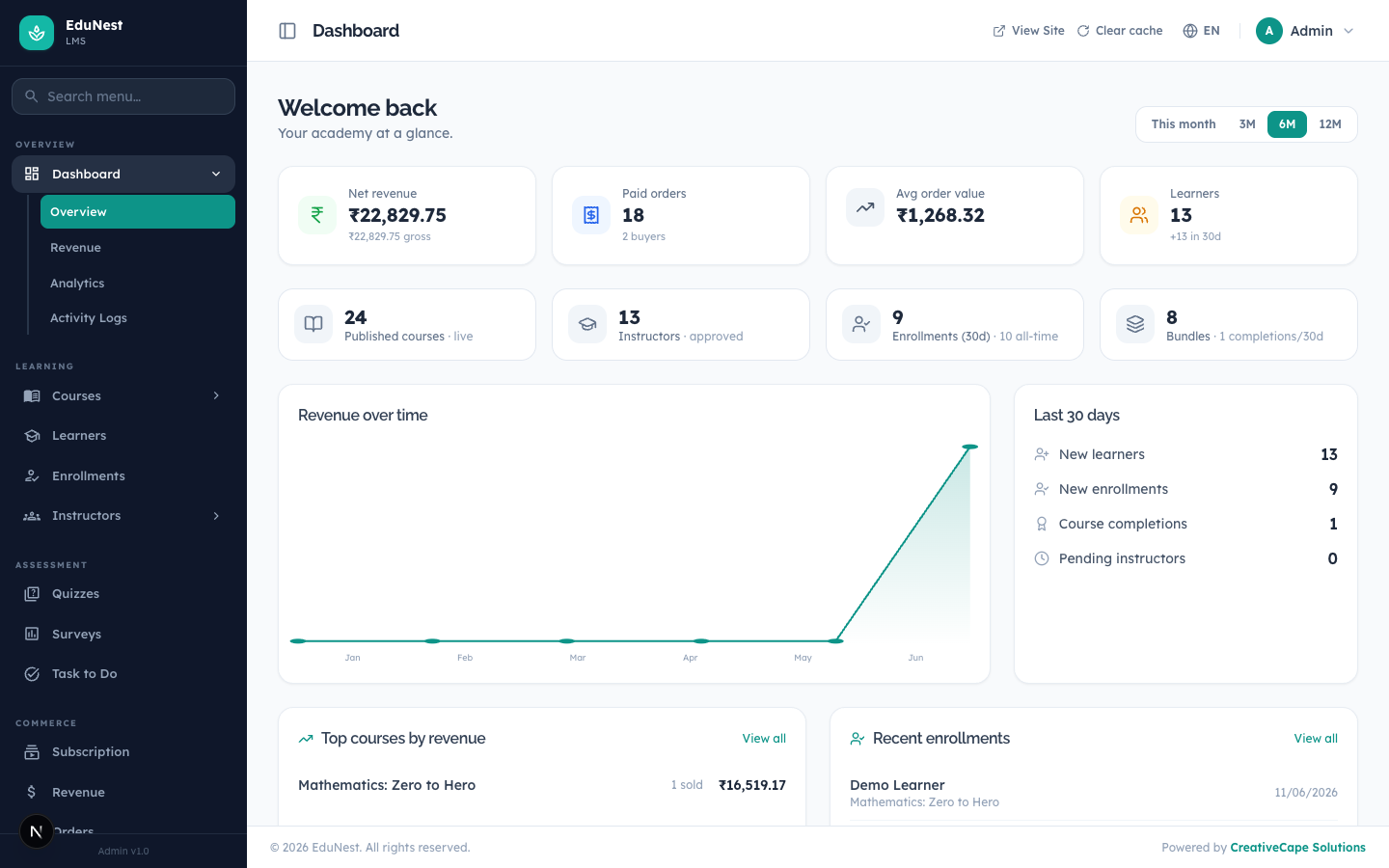
Dashboard — /admin/dashboard
The admin landing screen (src/app/admin/(panel)/dashboard/page.tsx). Opens with "Welcome back," shows headline KPIs and a "Revenue over time" chart. Data from GET /api/v1/admin/dashboard and GET /api/v1/admin/revenue.
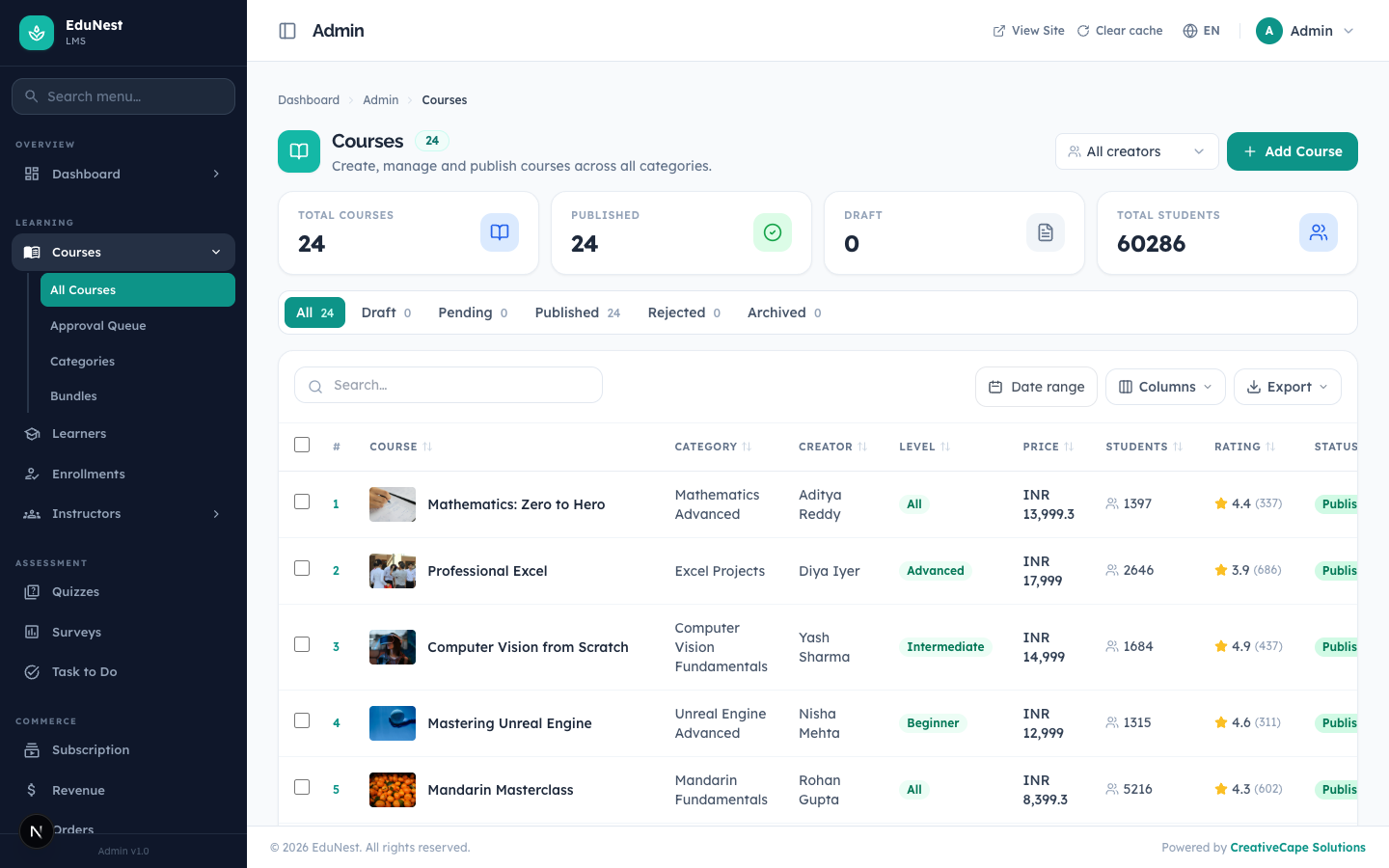
Courses (admin) — /admin/learning/courses
The catalog management surface (src/app/admin/(panel)/learning/courses/page.tsx), with a pending review queue at /admin/learning/courses/pending and per-course editing at /admin/learning/courses/[id]. Backed by /api/v1/admin/courses and its sections / lessons / status sub-routes.
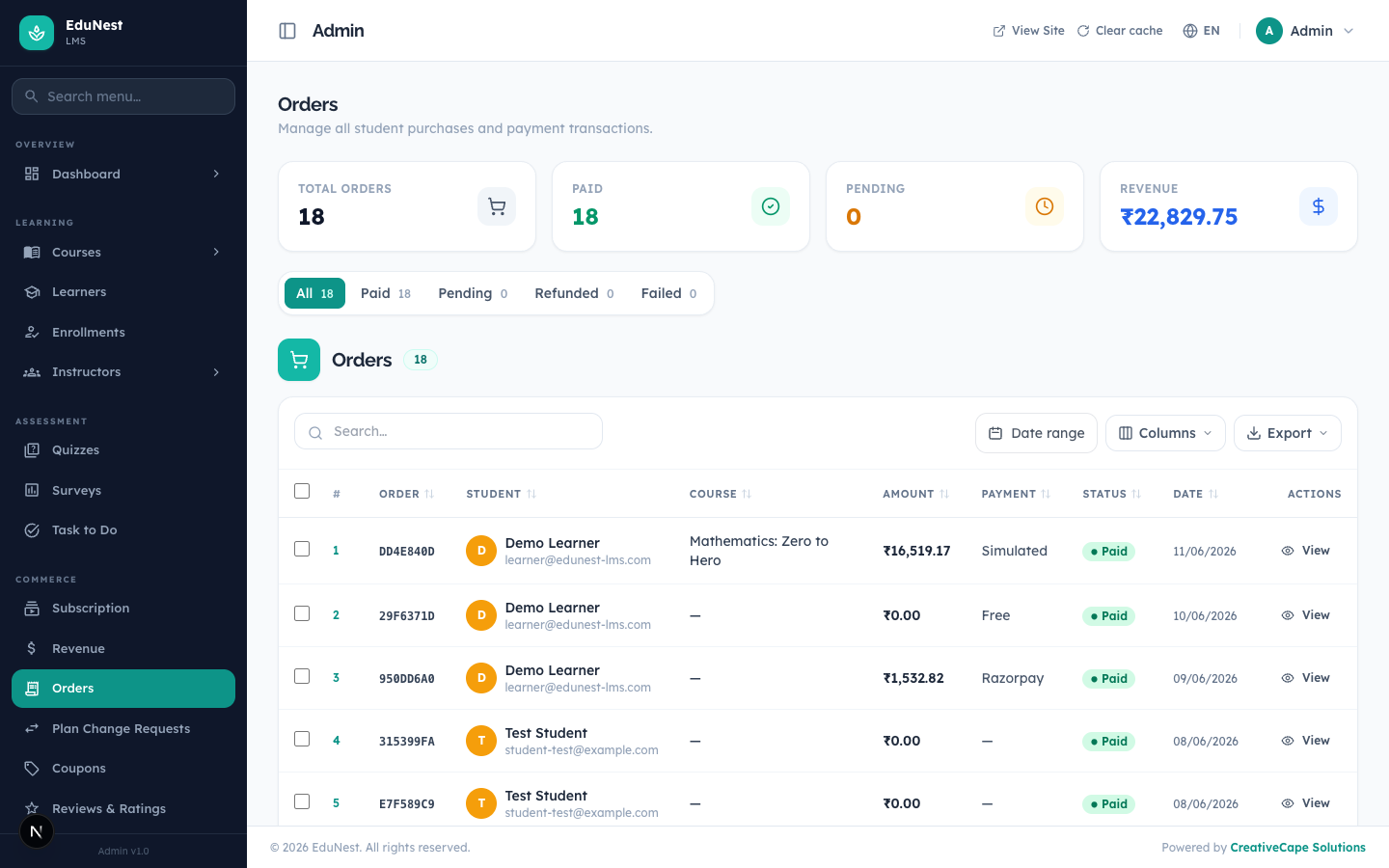
Orders (admin) — /admin/orders
Order management (src/app/admin/(panel)/orders/page.tsx), titled "Orders — Manage all student purchases and payment transactions." Backed by GET /api/v1/admin/orders and /:id.
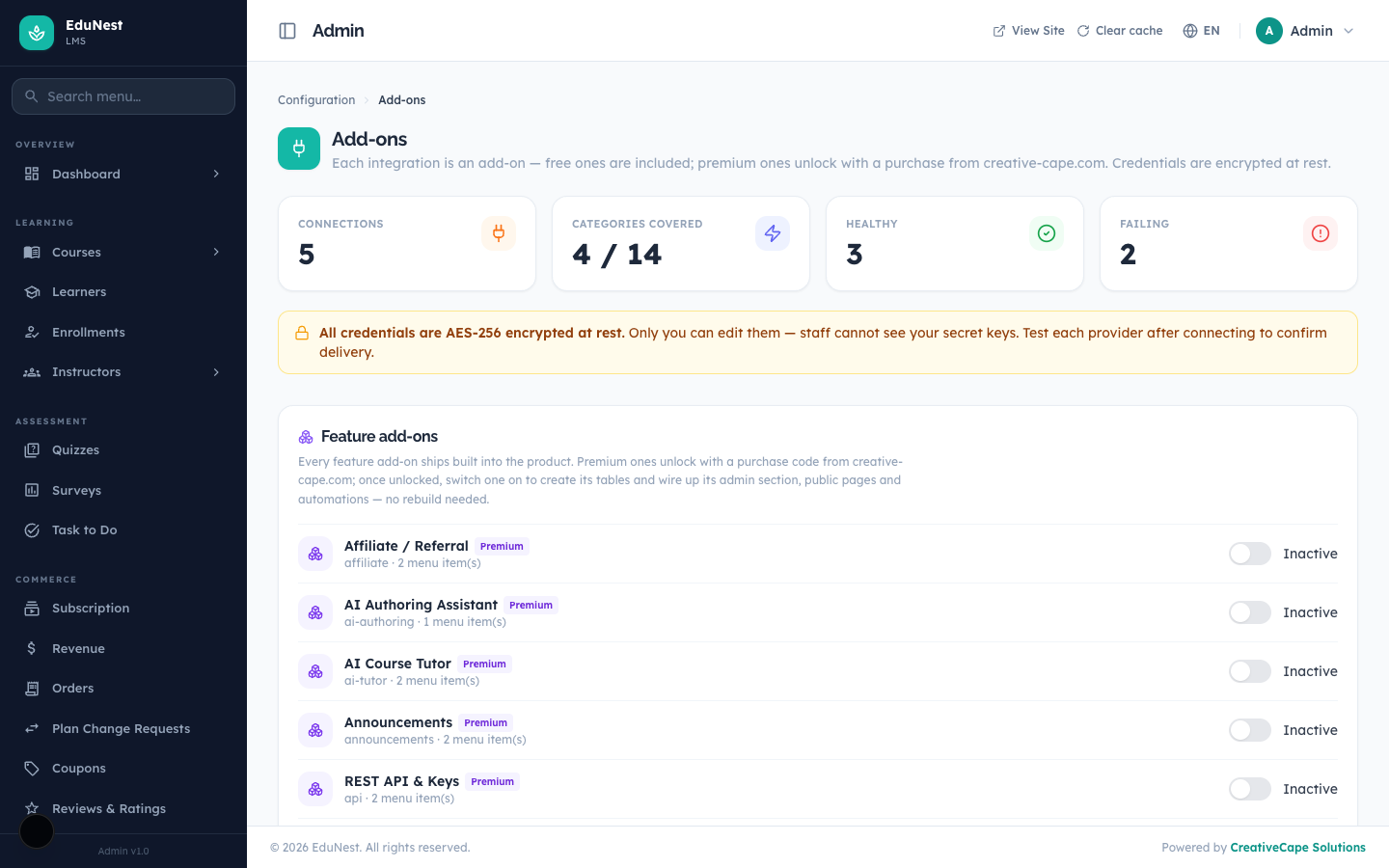
Add-ons & Integrations — /admin/settings/integrations
The add-ons screen (src/app/admin/(panel)/settings/integrations/page.tsx) where premium integrations and feature add-ons are unlocked with a purchase code and toggled on. See the Integrations Guide.
Settings — /admin/settings/*
The settings hub. Sections (each a route segment under src/app/admin/(panel)/settings/) include: theme (Theme Options / Appearance), payments, checkout, tax / tax-rates, currencies, countries, locations, languages, users, roles, permissions, integrations, webhooks, api-tokens, backup, invoice, notifications, notification-log, and activity. Each section reads/writes via GET/POST /api/v1/admin/settings/:section (plus dedicated routes for users, roles, languages, etc.).
© CreativeCape Solutions · creative-cape.com · support@creative-cape.com